What CueRadar
actually does.
CueRadar is a free macOS app that audits DJ music libraries — quality grading, key & BPM detection, acoustic duplicate finding, format conversion, and CDJ / XDJ / controller compatibility checks — all in one local scan.
One pass over your library scores every track for quality, detects key + BPM from the audio (not the tag), groups acoustic duplicates, runs a safe converter, and pre-flights against every Pioneer / Denon / XDJ in the room.
By Thomas Gravesen · DJing for 20 years · founder of Hosting.gl
Spot the fakes.
In one scan.
A significant portion of the WAV and AIFF files in your crates are probably MP3s in disguise. CueRadar reads every file's real frequency spectrum — not the tag, not the container — and catches fake FLACs, bad rips, and tracks where someone lied about the codec before they end up on the USB.
- Spectral analysis — detects transcodes by frequency cutoff, not the container.
- LUFS integrated + true peak per track. No surprises at the booth.
- Letter grades A–F. Sort the bad rips out at a glance.
- Works where Spek doesn't — native Apple Silicon, batch your whole library.
Are my WAV files actually lossless?
A significant portion of WAV and AIFF files circulating in DJ crates today are MP3s padded out into a bigger container — a 128 kbps MP3 wrapped in WAV is still 128 kbps audio quality, just on a bigger filesystem footprint. CueRadar reads the real frequency content of every file and grades it. If the high end was destroyed before encoding (the classic transcode signature: a hard cutoff around 16 kHz), it gets flagged regardless of what the file extension claims.
Where CueRadar fits.
Spek is the spectrum analyser everyone knows — but it's one file at a time and dead on Apple Silicon. Mixed In Key nails key + BPM but doesn't check quality or device compatibility. BeatCrate covers library organisation but doesn't name acoustic fingerprinting or Camelot wheel by name. Lexicon syncs libraries across DJ apps but doesn't catch fake FLACs. CueRadar bundles five scanners — quality, key, BPM, duplicates, device pre-flight — in one offline pass over your crates.
Mix in key.
Lock the tempo.
Musical key in Camelot wheel + Open Key notation. BPM to the tenth, with downbeat detection so warps line up — even on tracks with intros that fight you.
- Compatible with Rekordbox, Serato, Engine DJ tag conventions.
- Camelot-coloured so harmonic mixing is visible at a glance.
- Re-analyses on demand — never trust a bad tag.
What is the Camelot wheel, and why do DJs use it?
The Camelot wheel is a notation system that re-labels every musical key as a number from 1 to 12 paired with an "A" (minor) or "B" (major). Keys next to each other on the wheel — like 8A (A minor) and 9A (E minor) — sound harmonically compatible when mixed. Same-number A and B keys (e.g. 8A and 8B) are relative minor/major pairs and also mix well.
CueRadar detects the key from the audio itself (not the tag) and labels every track in both Camelot and Open Key notation, so harmonic transitions are obvious at a glance — without having to remember whether C♯ minor is 12A or 4A.
Same song.
Different file.
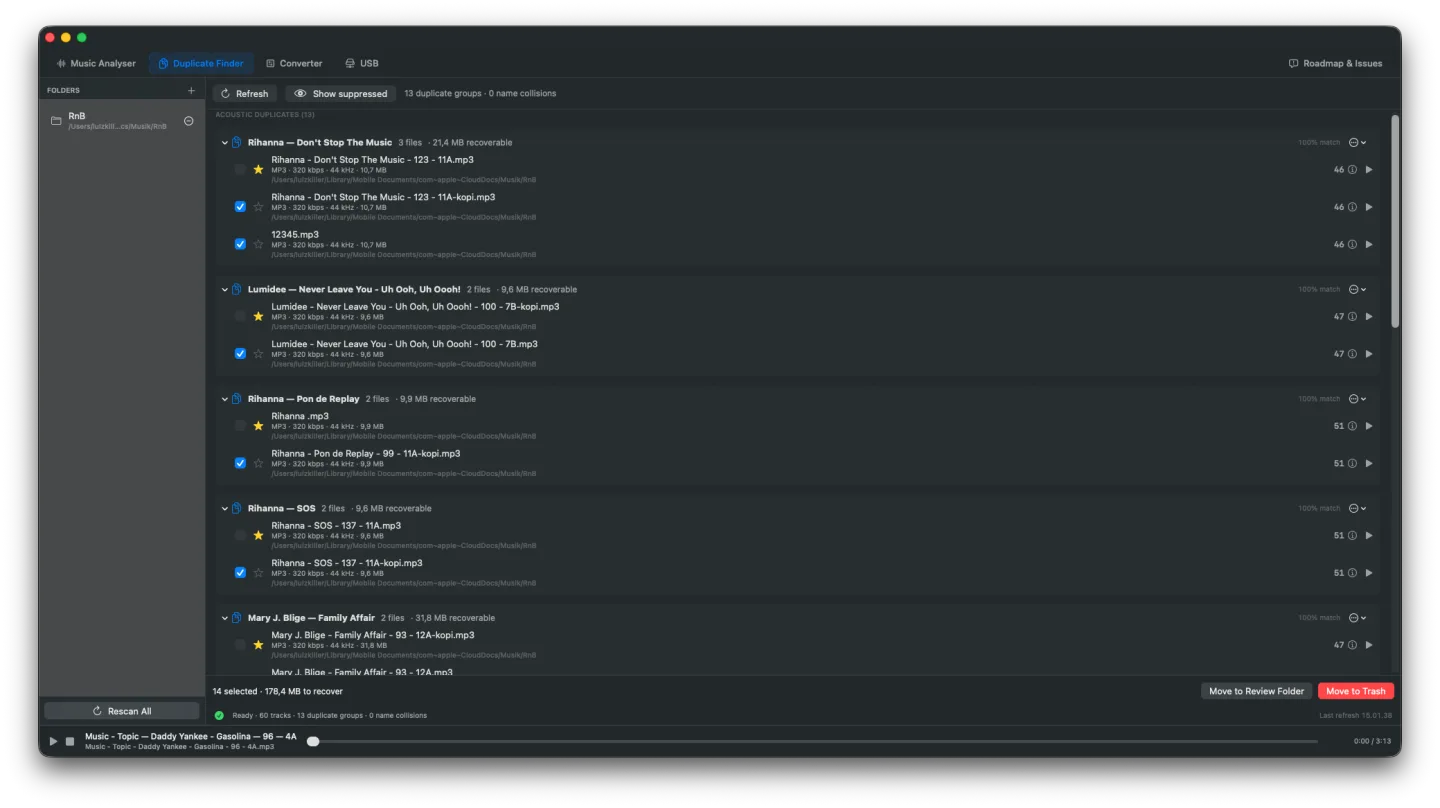
Chromaprint acoustic fingerprints find the same track even if the tags lie, the filename is a hash, and the container has been mangled. The best copy survives; the rest get reviewed.
- Acoustic fingerprint matching — finds duplicates Finder misses.
- Auto-picks the best copy (highest bitrate, longest, lossless preferred).
- Review every group before anything is removed. Nothing deletes itself.
How does CueRadar find duplicates other tools miss?
Filename and tag matching — what Rekordbox, Serato, and the Finder rely on — fails the moment a track lands twice with different names, different tags, or in a different container. CueRadar uses Chromaprint, the open-source acoustic-fingerprint library AcoustID is built on, to identify the same recording by what it actually sounds like. Two files match if their fingerprints match, regardless of metadata.
Remux first.
Re-encode last.
CueRadar resamples, downmixes and transcodes to AAC-LC for older devices — but only when there is no lossless path. It never re-encodes a file it could remux.
- WAV → AIFF, ALAC → FLAC, etc. — container swap with zero audio touch.
- Device target profiles drive the right output codec automatically.
- Originals are preserved until you confirm. No silent overwrites.
Pre-flight the USB.
Before the gig.
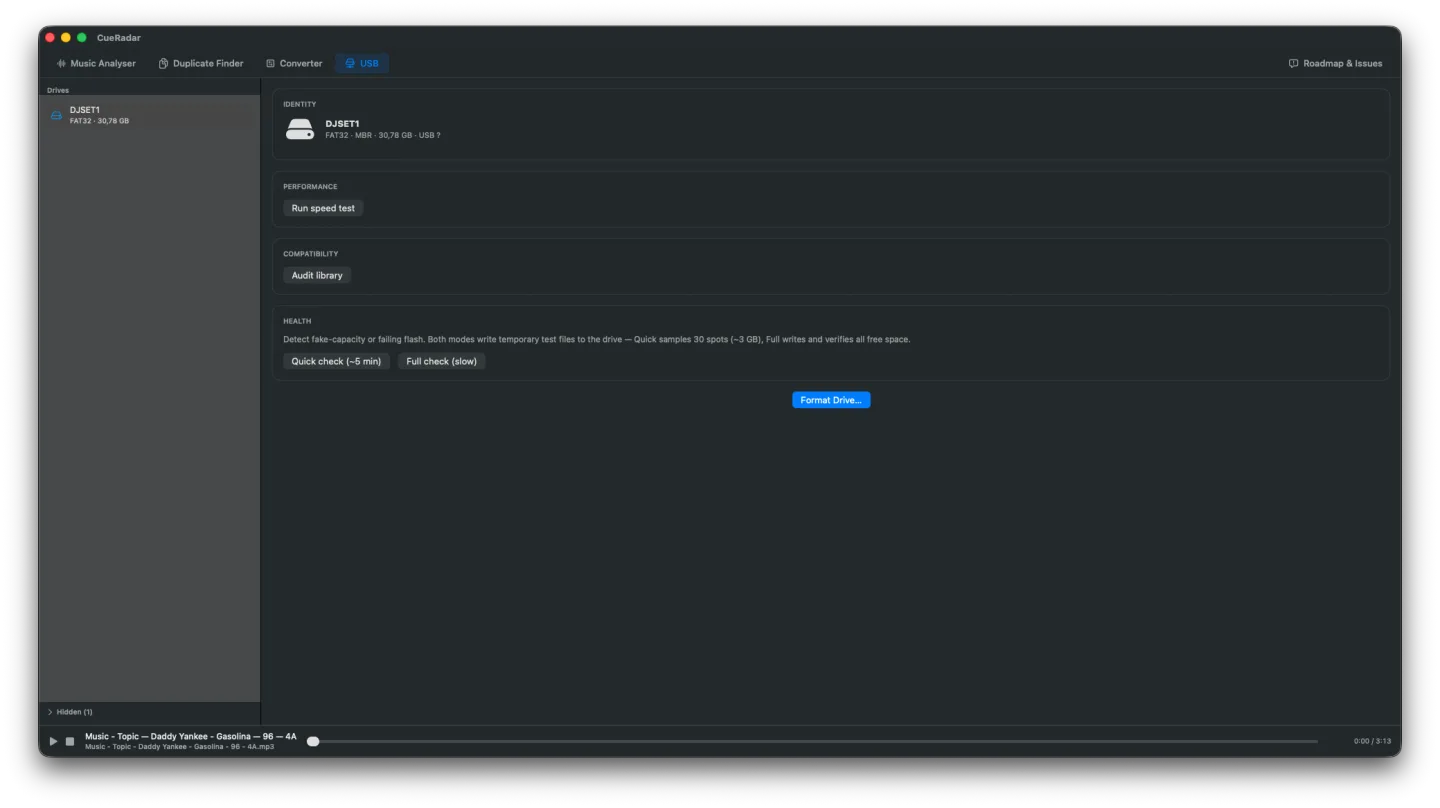
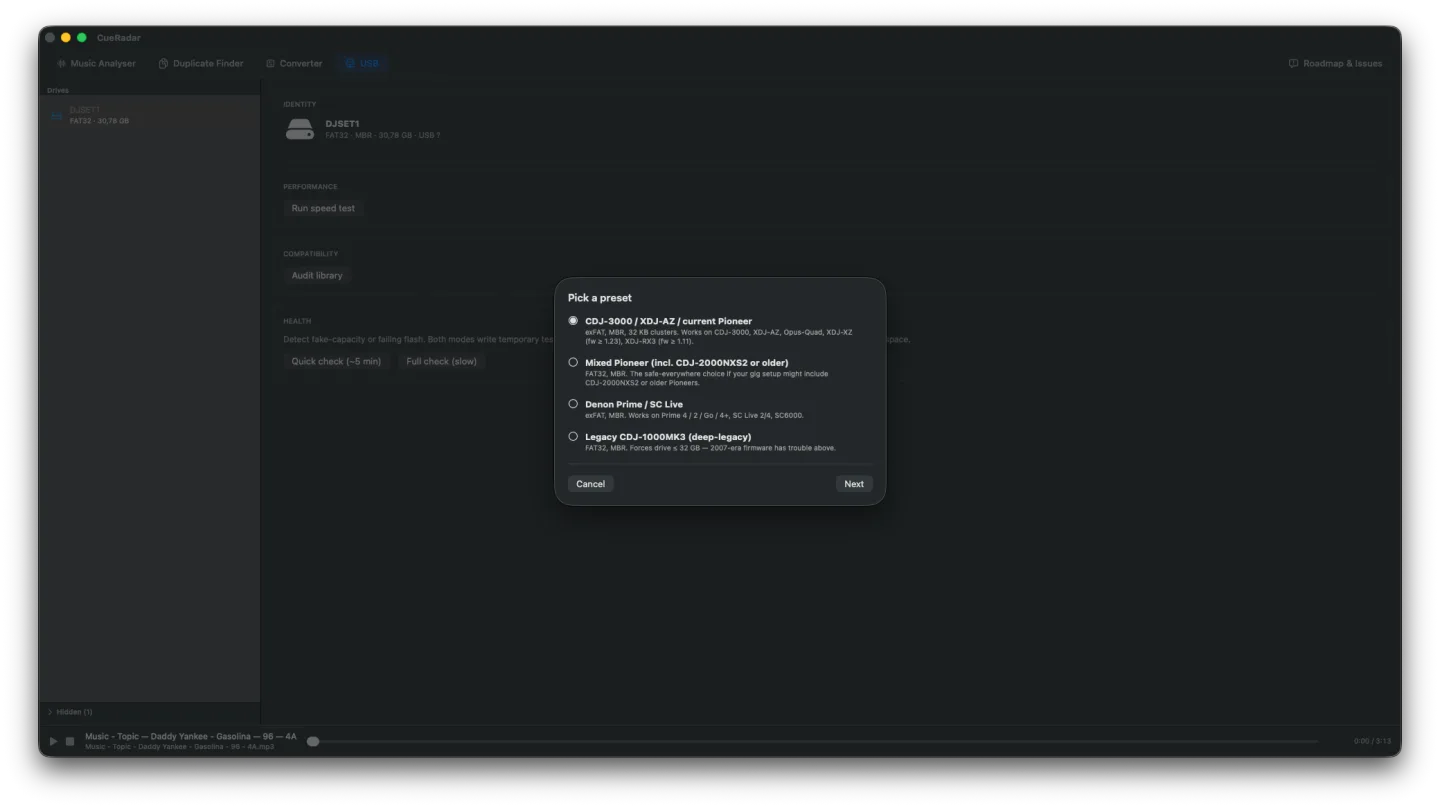
Profiles for every current Pioneer, Denon and XDJ device — plus older players still in clubs. Find out which file will not play, and why, before you leave the house.
- 14+ device profiles: max bitrate, codecs, sample rates, AAC profile, FAT32 filename limits.
- Tells you exactly which file won't play, and why.
- One-click fix queues run the converter against the offending tracks.
Track won't play on the CDJ? Here's why.
FLAC on an older CDJ-2000 or 900NXS that doesn't support it. AAC encoded with the wrong profile. Bitrate above the player's ceiling. Sample rate the deck won't decode. exFAT on a USB Pioneer expects to be FAT32. Filename characters the FAT32 spec doesn't allow. CueRadar's pre-flight catches all ten-plus causes per device profile before you ever walk out the door — including the E-8305 "Cannot Play This Track" error every working DJ has seen at the booth.
100% local
Your library stays on your Mac.
No cloud uploads. No telemetry without explicit opt-in. CueRadar reads files on disk and writes results to a local SQLite database. Disconnect from the internet — every feature still works.